Overview
I have been working with Sitecore Search for the last couple of years. Also, got an opportunity to set up a search from scratch to advance features. In this blog, I will explain an end-to-end step process to configure Sitecore Search. At the end of this blog, you will be able to learn the following points:
- Understanding Sitecore Search and Search Concepts
- Analysis of Sitecore Search Crawler Types and implementation of the Sitemap Crawler configuration.
- Development and integration of JavaScript Extractor code for dynamic content injection and indexing integrity.
- Configuration and mapping of attributes for advanced search features, including Filtering and Faceting mechanisms.
- Process for Widget instantiation and deployment across the digital experience platform.
- Demonstration of the API Explorer as a critical tool for query validation
- Procedure for monitoring Index Synchronization Status and diagnosing failures.
- Detailed review of Indexing Logs and utilization of the Analytics Dashboard for usage and performance data exploration.
Search
Sitecore Search is a powerful search engine that delivers fast, relevant, and personalized search results, recommendations, and more for websites across content and products. It’s an AI-driven, headless content and product discovery platform designed to create predictive and personalized search experiences.
Search Key Concepts
- Crawling & Indexing – Discover content and convert it into searchable entities
- Entities & Attributes – Structured document types enriched with metadata
- Relevancy & Ranking – Algorithms that decide result order
- Facets & Filters – Tools for narrowing search results
- Search Widgets – Configurable UI components for building experiences
- Personalization – Tailored results using visitor ID + behavior
- Events & Analytics – Track interactions to optimize search performance
- Index Synchronization – Ensures indexed data stays up to date
- Synonyms, Stemming, Tokenization – Improve query understanding
Search Architecture
Let’s walk through how Sitecore Search is architected, because understanding this flow is critical to designing scalable and high-performing search experiences. Every implementation starts with content sources—these can be feeds, APIs, websites, or enterprise systems. They’re essentially the entry points where Sitecore Search discovers your content. On top of these sources, we configure connectors or crawlers. Their job is to pull data from those sources, transform it, and turn it into searchable documents. All this processed information is then stored in something called the Content Collection. This is the heart of the platform. When a user performs a search, Sitecore never queries your live systems—it always hits the Content Collection for performance and consistency. Once the content is inside the system, we enrich it using attributes—metadata such as category, language, tags, or brand. Attributes drive your filtering, faceting, relevancy tuning, and sorting. They are the backbone of a smart, well-structured search experience. Next, we have the Sitecore Search UI. This is where both developers and marketers configure search pages, widgets, filters, synonyms, and boosts. As developers, we reference these widgets or page IDs when embedding them into our website. All the interactions on the frontend are powered by APIs— The Search & Recommendations API handles every user query. The Ingestion API keeps the index up to date with incremental changes. And the Events API sends back behavioral analytics that help power personalization. Finally, the frontend—your website or application—is where everything comes together. Whether you use the SDKs or REST APIs, this layer consumes the configured search experiences and displays autocomplete, recommendations, Q&A, and more. So in short, Sitecore Search follows a clear path: source → crawl → index → enrich → configure → deliver → optimize. This structure ensures the search experience stays fast, relevant, and scalable across your digital ecosystem.” 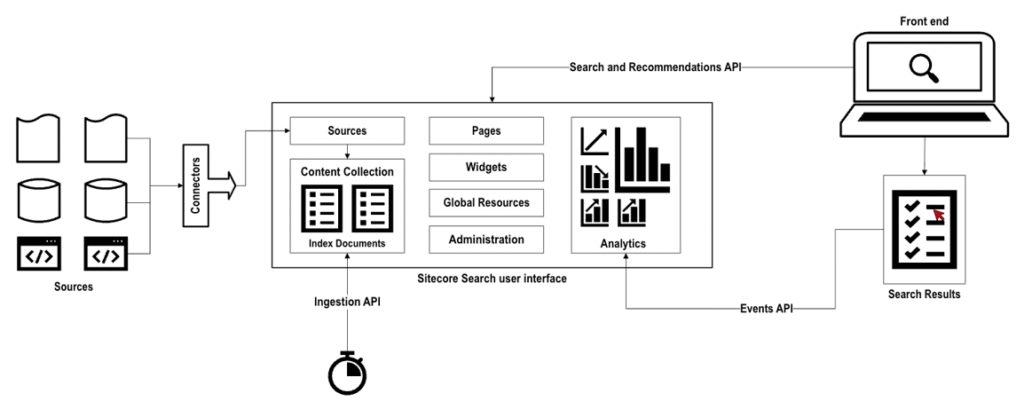
Technical Flow of Search
Here’s the entire Sitecore Search flow in one view. Content comes from your websites, CMS, and APIs, and the crawler indexes and normalizes it into structured entities with attributes. The search engine then applies relevancy and ranking to determine the best results. Those results are delivered through your search widgets and UI, and personalized using the visitor’s UUID and behavior signals. Finally, every click and action is fed into analytics, which continually improves relevance and performance. This end-to-end loop is what powers fast, intelligent, and personalized search experiences in Sitecore Search. 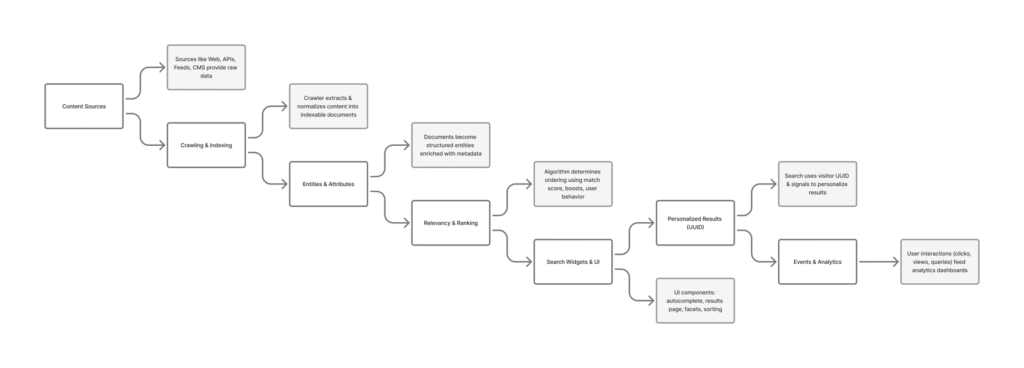
Search Integration Methods
Sitecore Search supports multiple integration approaches depending on the technology stack, development effort, and flexibility required.
- JavaScript SDK for React
- Sitecore Cloud SDK
- JavaScript Data Package
- REST APIs
The first one is the JavaScript SDK for React. This is the fastest and easiest method if your site is built in React. It comes with prebuilt components, handles personalization cookies automatically, and requires minimal coding. If your frontend is React—this is the method you should default to. The second method is the Sitecore Cloud SDK. This is ideal when you’re using Sitecore XM Cloud with JSS Next.js or Angular. It keeps everything within the XM Cloud ecosystem and integrates search directly into your component architecture. If your application is already on XM Cloud, this is the most natural integration path. The third option is the JavaScript Data Package. This is a lightweight approach that works with any JavaScript framework—vanilla JS, Angular, Vue, Svelte. You use it when you don’t need full React components but still want an easy way to make Search queries without writing raw API calls. And finally, we have the REST APIs. This method gives you the highest level of flexibility and is completely framework-agnostic. It’s great for custom experiences, backend integrations, mobile apps, or environments that are not JavaScript-based. It takes more effort because you have to manage cookies, events, and response handling yourself, but you get total control. So in summary: React SDK for React sites, Cloud SDK for XM Cloud + JSS apps, JS Data Package for any JavaScript-based project, and REST APIs for maximum customization or non-JS environments.
Prerequisites
Key prerequisites that must be completed before implementing Sitecore
- Sitecore Search License
- Integration Strategy, like Sitecore Cloud SDK or JavaScript SDK
- Indexing Strateg, like WebCrawler or API Crawler
- Search Attributes and Mapping Decisioning
- Facets and Filters Decisioning
Configurations
Search Dashboard
When you log in to the Sitecore Portal and click on the Sitecore Search product, this is the dashboard you see. 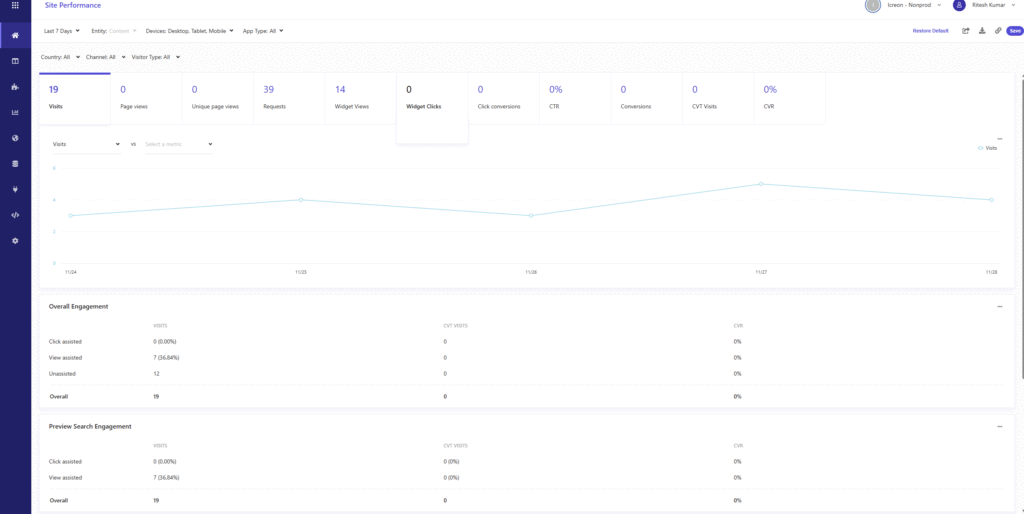
Create Source
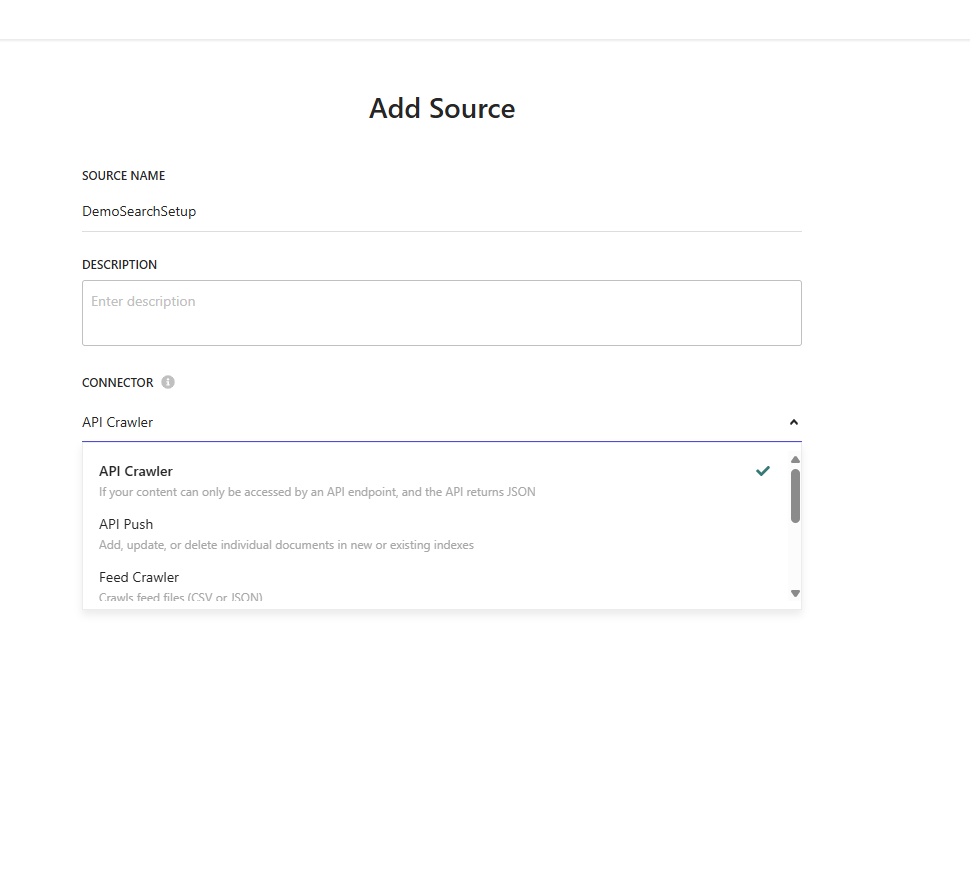
Create the source from where you want to extract the date to be displayed in your search. 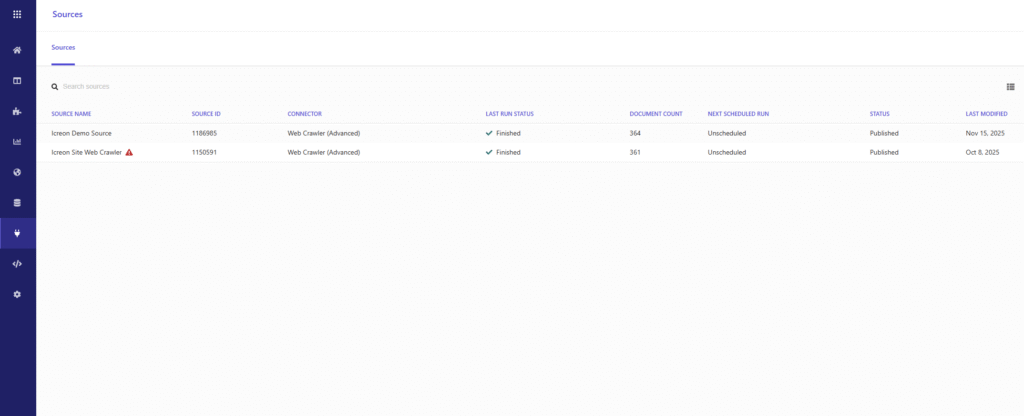 Add Source – In this blog will consider the Web Crawler Advance.